Get the package complete name:
dpkg --list | grep partial_package_name*
Remove the package:
sudo apt-get remove package_name
Remove all the dependencies:
sudo apt-get purge package_name
Remove the unneeded packages that were once installed as a dependency:
sudo apt-get autoremove
Remove the retrieved packages from the local cache:
sudo apt-get autoclean
Check that it was completely removed:
dpkg --list | grep partial_package_name*
Finally, do a clean so you check everything is correctly removed
sudo apt-get clean
Wednesday, 14 May 2025
How to Remove a deb package
ufw in Ubntu
sudo ufw status --check the status
sudo ufw disable -- for disable
sudo ufw enable -- for enable
sudo ufw reload -- for rload
sudo ufw reset -- for reset
sudo ufw app list -- to check app list
sudo ufw status numbered --list all of the current rules
sudo ufw status verbose
sudo ufw default deny incoming
sudo ufw default allow outgoing
--INstall UFW
sudo apt update
sudo apt install ufw
--Allow SSH accss
sudo ufw allow ssh
or
sudo ufw allow 22/tcp
How to add More Rules
sudo ufw allow 80/tcp
sudo ufw allow 443/tcp
sudo ufw allow 25/tcp
sudo ufw allow https/tcp
--For radiusd
ufw allow 1812/tcp
ufw allow 1812/udp
ufw allow 1813/tcp
ufw allow 1813/udp
ufw allow 1521/tcp
ufw allow 1521/udp
You can allow port ranges too say, tcp and udp 4000 to 6000:
$ sudo ufw allow 4000:6000/tcp
$ sudo ufw allow 4000:6000/udp
How to reject port
$ sudo ufw reject in smtp
$ sudo ufw reject out smtp
$ sudo sudo ufw reject 1194 comment 'No more vpn traffic'
$ sudo ufw reject 23 comment 'Unencrypted port not allowed'
Saturday, 26 March 2022
Cisco IOS for GNS3
You can download Cisco IOS for GNS3 from here.
Cisco Router:
Download: Cisco IOSv 15.6
Download: Cisco IOS XE CSR1000v 16.8.1a
Download: Cisco IOS XRv 6.0.1
Download : Cisco 7200 124-24.T5
Cisco L2 Switch:
Download Cisco IOSv L2 15.2.1
Download : Cisco IOU L2
Download : Cisco IOU L3
Download : Micro Core Linux Version 6.4
Thursday, 14 September 2017
Monday, 6 July 2015
Friday, 14 November 2014
How to change Apex Admin Password
root@202.65.168.20's password:
Last login: Fri Nov 14 14:28:08 2014 from 114.130.138.17
[root@fws ~]# source /u01/app/oracle/product/11.2.0/xe/bin/oracle_env.sh
[root@fws ~]# cd /u01
[root@fws u01]# ls
app
Sunday, 9 November 2014
How to block facebook in Mikrotik using L7 Protocols (Layer 7)
Saturday, 6 September 2014
How To Install and Secure phpMyAdmin on a CentOS 6.4 VP
Ref.link
https://www.digitalocean.com/community/tutorials/how-to-install-and-secure-phpmyadmin-on-a-centos-6-4-vps-
Introduction
Many websites and applications require databases to store and manage large sets of information. MySQL and MariaDB are popular database management systems because of their flexibility, power, and ubiquity.For many users, managing databases is difficult from the command line. For those who prefer to use a web interface,
phpMyAdmin is a great alternative to command driven management.In this guide, we will cover how to install and configure phpMyAdmin on a CentOS 6.4 VPS. The procedure should be fairly similar for other versions.
Step One –– Add EPEL Repositories
The phpMyAdmin package is not included in the CentOS default repositories, but it is available in the Fedora Projects EPEL (Extra Packages for Enterprise Linux) repositories.We can add the repository to our
yum source list by downloading a configuration file from the repository itself. Run the following command:cd ~
wget http://download.fedoraproject.org/pub/epel/6/x86_64/epel-release-6-8.noarch.rpm
Note that even though this file is coming from the 64 bit repository,
it is architecture agnostic, meaning it will work for either 32 bit or
64 bit installations.This will download the package into our home directory. Install it by typing:
sudo rpm -ivh epel-release*
Your installation now is aware of the EPEL repositories and will query it for packages.We can check this by typing:
yum repolist
. . .
repo id repo name status
base CentOS-6 - Base 6381
epel Extra Packages for Enterprise Linux 6 - x86_64 9788
extras CentOS-6 - Extras 13
updates CentOS-6 - Updates 1336
repolist: 17518
As you can see, the EPEL repo is present.Since the repository is entered in the system now, you can remove the repository configuration package by typing:
rm epel-release*
Step Two –– Download and Configure MySQL
To use phpMyAdmin, you need database software to administer. We will install MySQL and preform some initial configuration from the command line.To install it, simply type:
Friday, 5 September 2014
Computer keyboard key explanations
Monday, 25 August 2014
How to access memory card on computer if it says ''Access is Denied''?
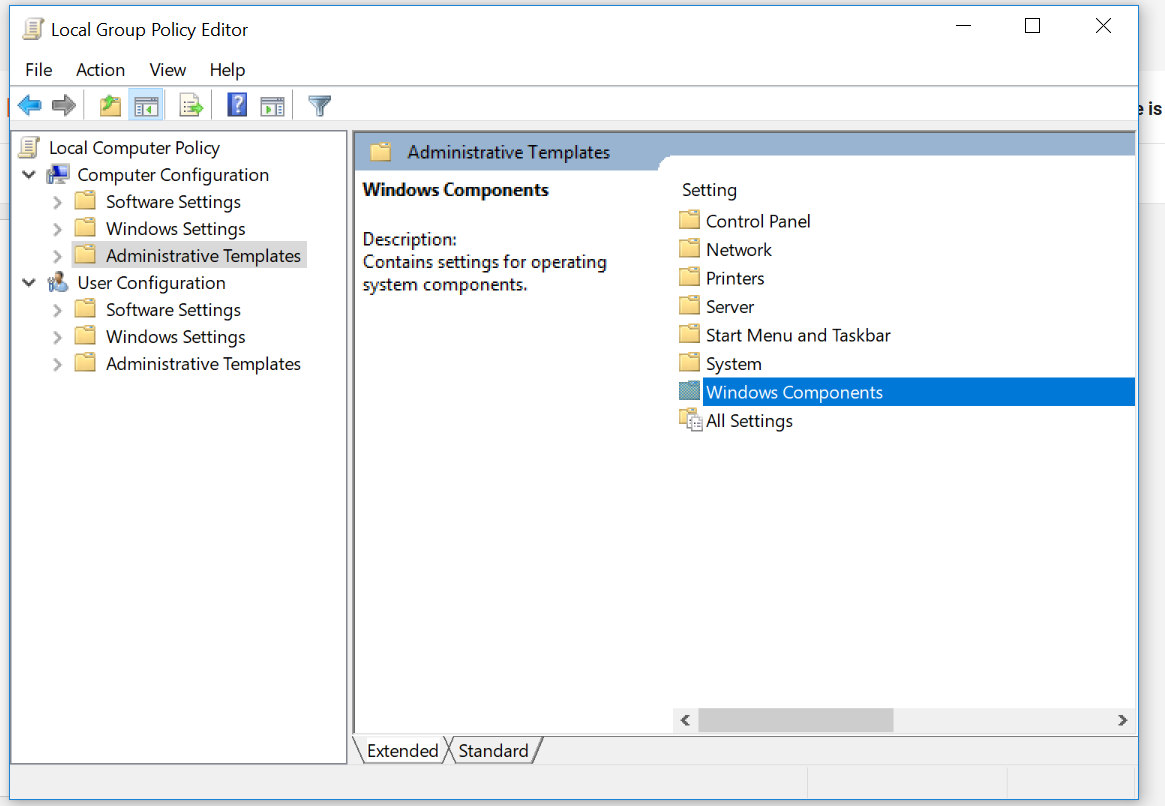
write-->> gpedit.msc
local group policy editor >computer configuration > Administrative templates >system > Removable > Storage Assess> Removable Disks: read access/write Access "need to sat not configured"
or
open Run
type gpedit.msc
click on the local group policy > computer configuration > administrative tools > all setting
make sure the" removable disks : deny execute access ( read / write ) " is set to the not configured